-
Knowledge base
-
How to installations and services
- How to service and change Aurotrap battery
- How to CO2 service Aurotrap
- How to clean Aurotrap
- How to bait service Aurotrap
- How to install Aurotrap
- How often should I service my Aurotraps
- I just installed my Aurotrap, but It's not visible In the manager
- The QR code on my Aurotrap Is not working/scanning
- How to determine battery type - Is my battery rechargeable?
- How to determine battery adapter 2-pin or 3-pin
- How to charge Aurotrap battery and charging times
-
Frequently Asked Questions
- FAQ – Bycatch (Non-Target Capture) in Aurotrap
- How does the Aurotrap system work?
- Are Aurotrap products safe for pets and the environment?
- What are the key benefits of using AuroTrap over traditional rodent control methods?
- My Aurotrap has a broken lid, how can I order a new one
- My trap Dont Register Any Rodents
- How do I get a new CO2 cannister and battery (part numbers, battery adapter etc.)
- The CO2 cannister don't work after 20 kills
- Where can I purchase Aurotraps
- How do I get support on my Aurotrap
- My Aurotrap Is defective, what should I do
- Why did the alarm on my trap suddenly disappear?
- How to read trap serialnumber
- Aurotrap warranty, parts and RMA
- Aurotrap old and new lids difference
- What to do if your Aurotrap has been moved or misplaced
- Where to find my Aurotrap serial number and QR code
- My unit have lost signal
- My Aurotrap is Pending Update
- Basic safety Instructions for lithium-Ion battery use with the Aurotrap
-
How to use Aurotrap Manager
- How to log Into manager portal
- How do I reset my password?
- How do I find my traps In the manager portal
- I can’t find my Aurotrap In manager portal
- What to do If your Aurotrap Is not responding or showing data in the manager
- How to set up notifications in the manager portal
- How to move a trap to storage/deactivate, and when to use It
- How to edit traps
- How to read alarms in Aurotrap manager
- How do I move my trap to another customer in the Aurotrap Manager
- I'm not getting any alarms or notifications from our Aurotraps
- How do I add colleagues and technicians to Aurotrap Manager
- Aurotrap catch limit and how to use it
- User roles and permission management
- Aurotrap status - New installation, active, inactive, offline, pending, missing and decommissioned
- Datasheet (Batteries and CO2)
- Getting started
- Billing
- Videos
- Media catalogue
-
How to installations and services
How to move a trap to storage/deactivate, and when to use It
Modified on Wed, 26 Nov, 2025 at 11:37 AM
Deactivating a trap is useful when you want to pause its striking mechanism. For example if a trap is needed to be moved to a new customer or location, or if the trap is being removed due to season change i.e.
Deactivating a trap will also pause the billing period for that unit.
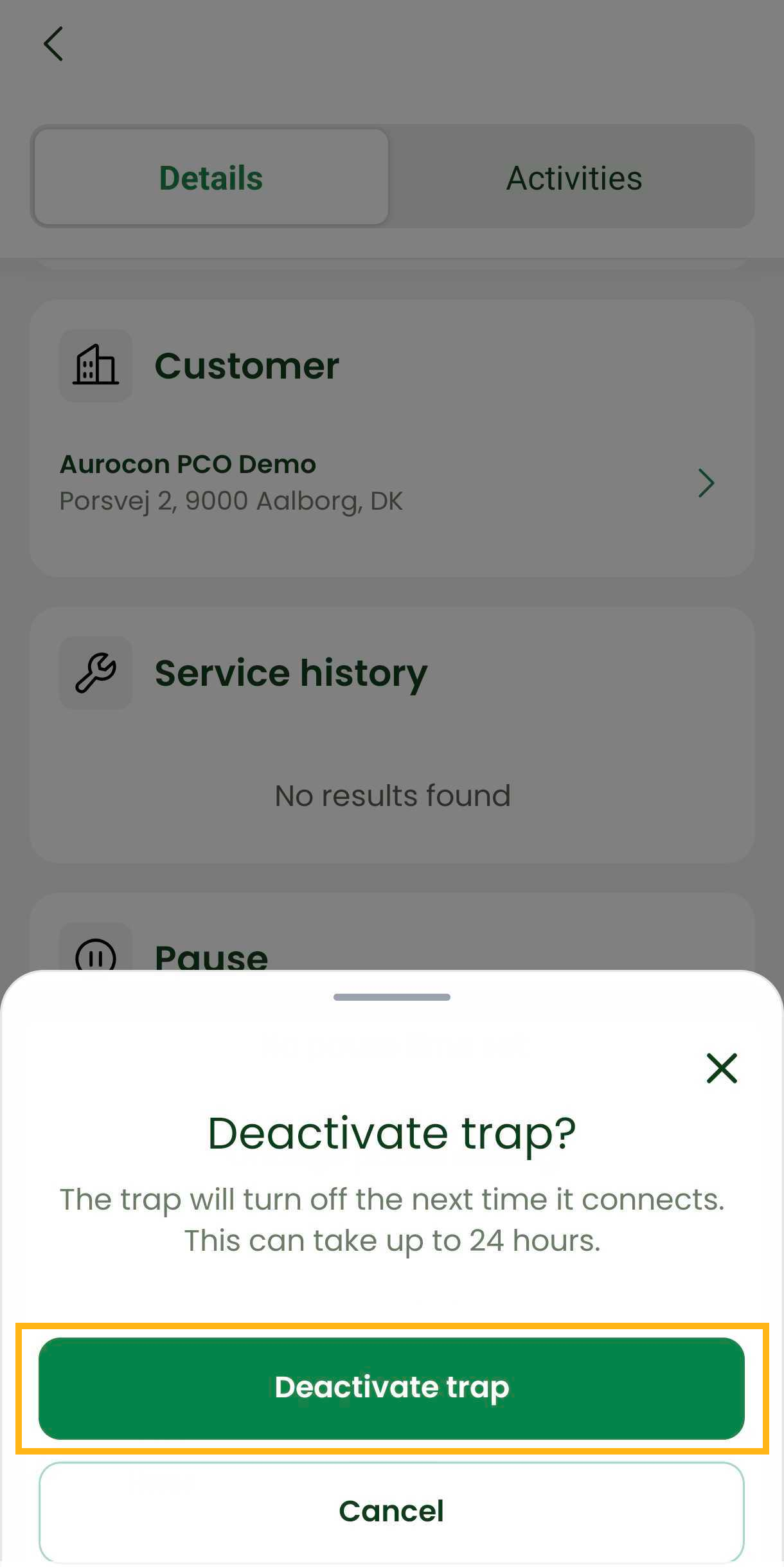
Steps to deactivate a unit:
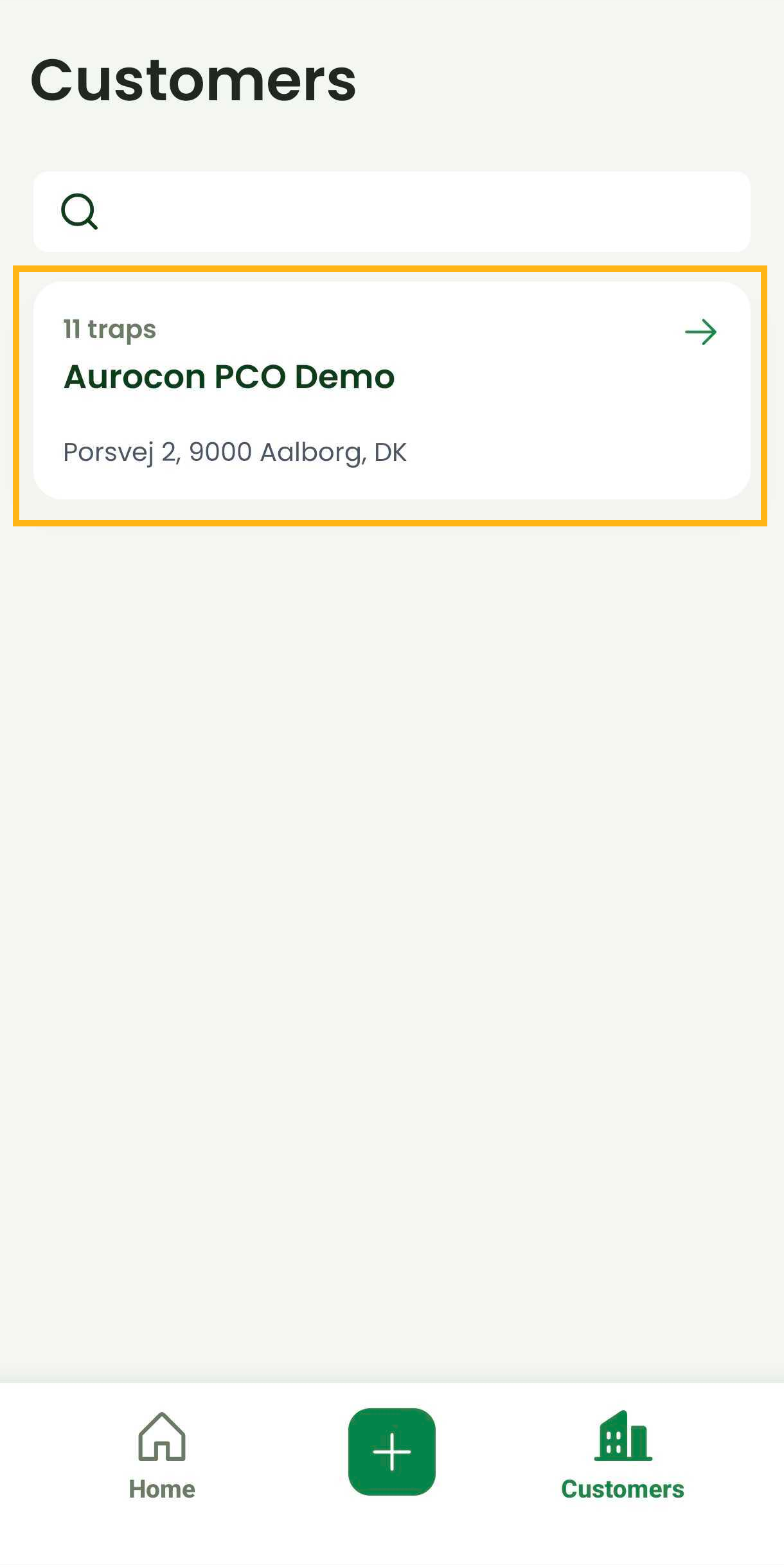
Open the Aurotrap Manager app.
Go to the Customers section and find the correct customer account.
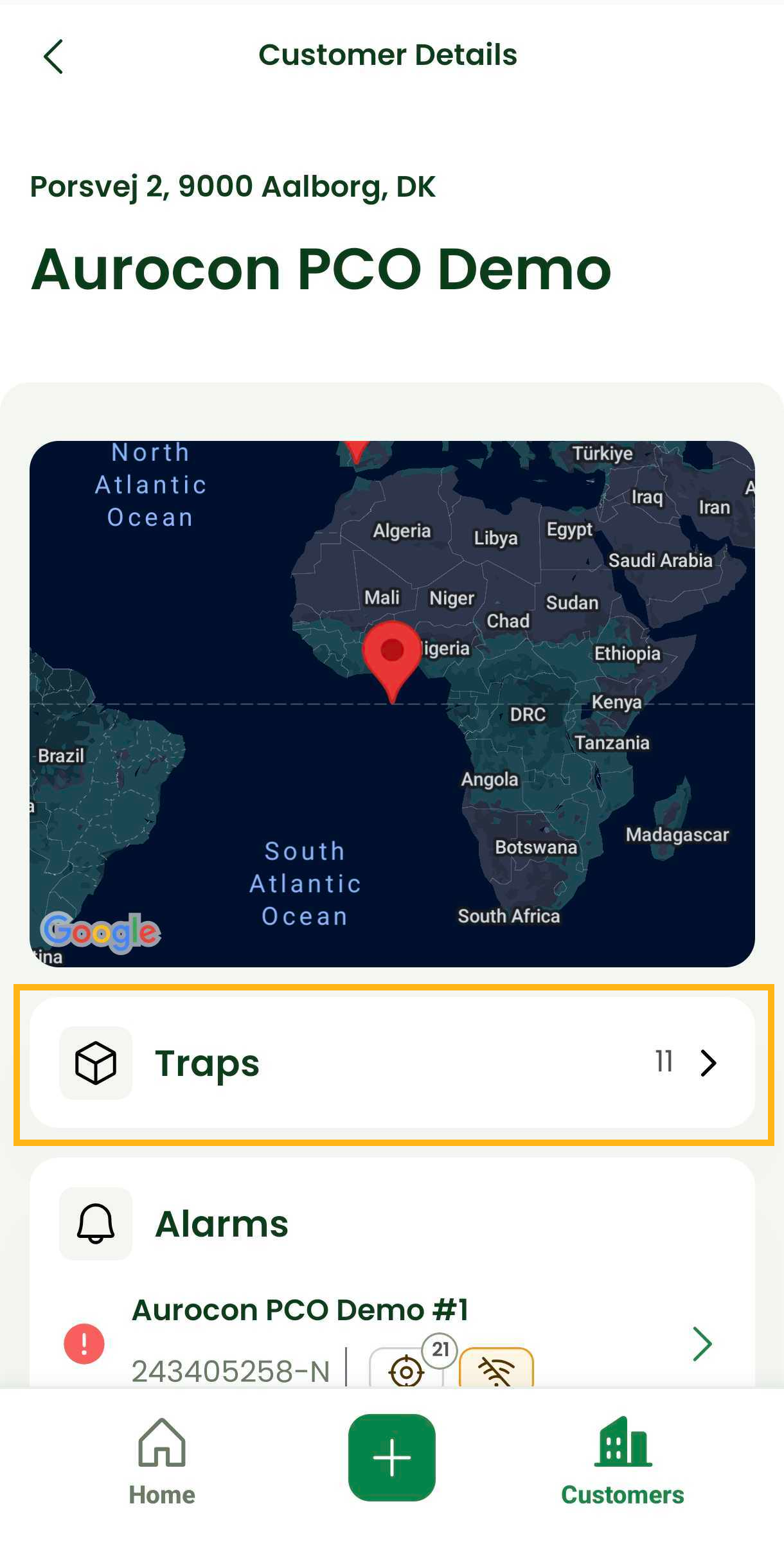
Open Traps.
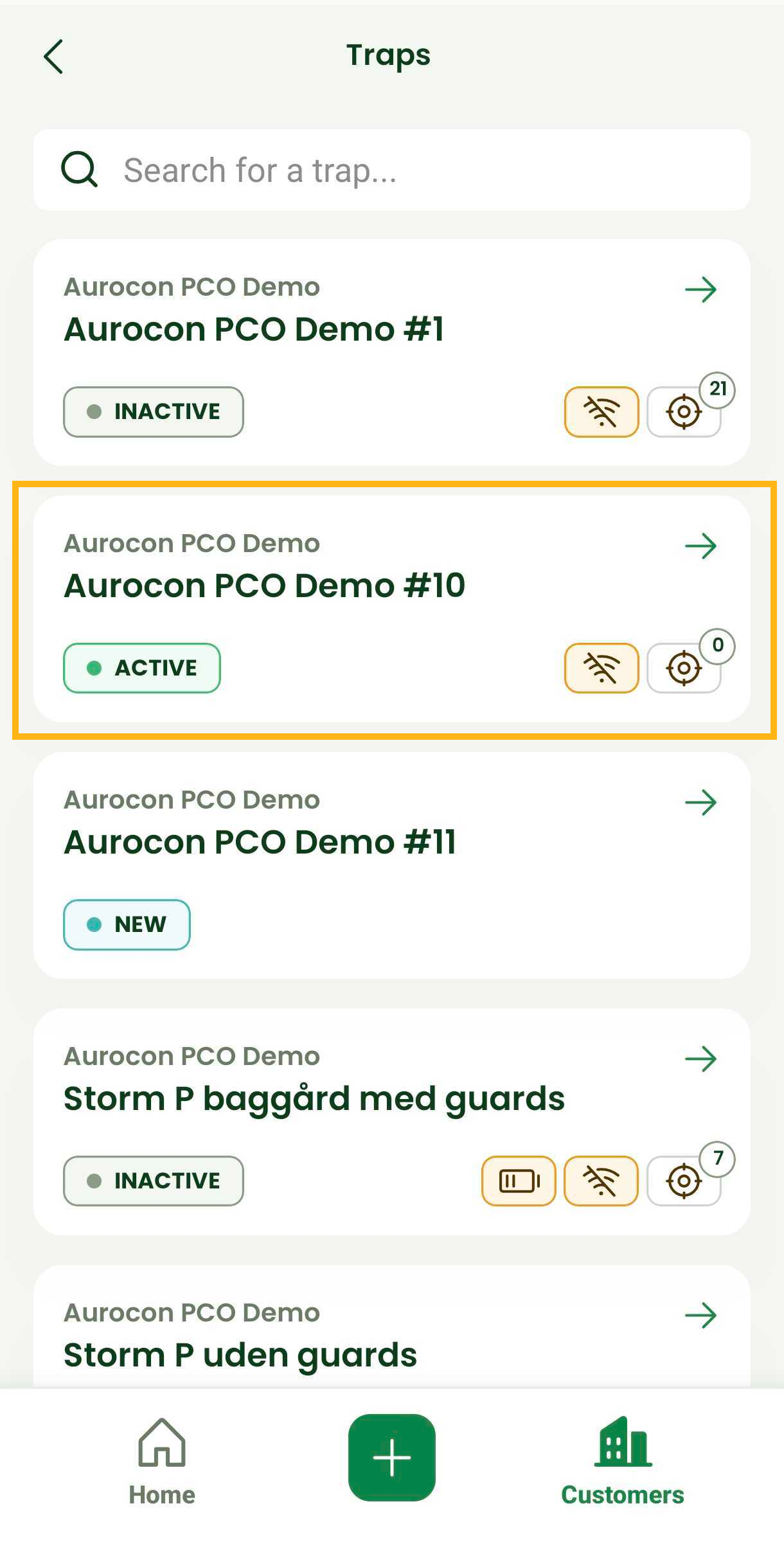
Select the specific trap you want to deactivate.
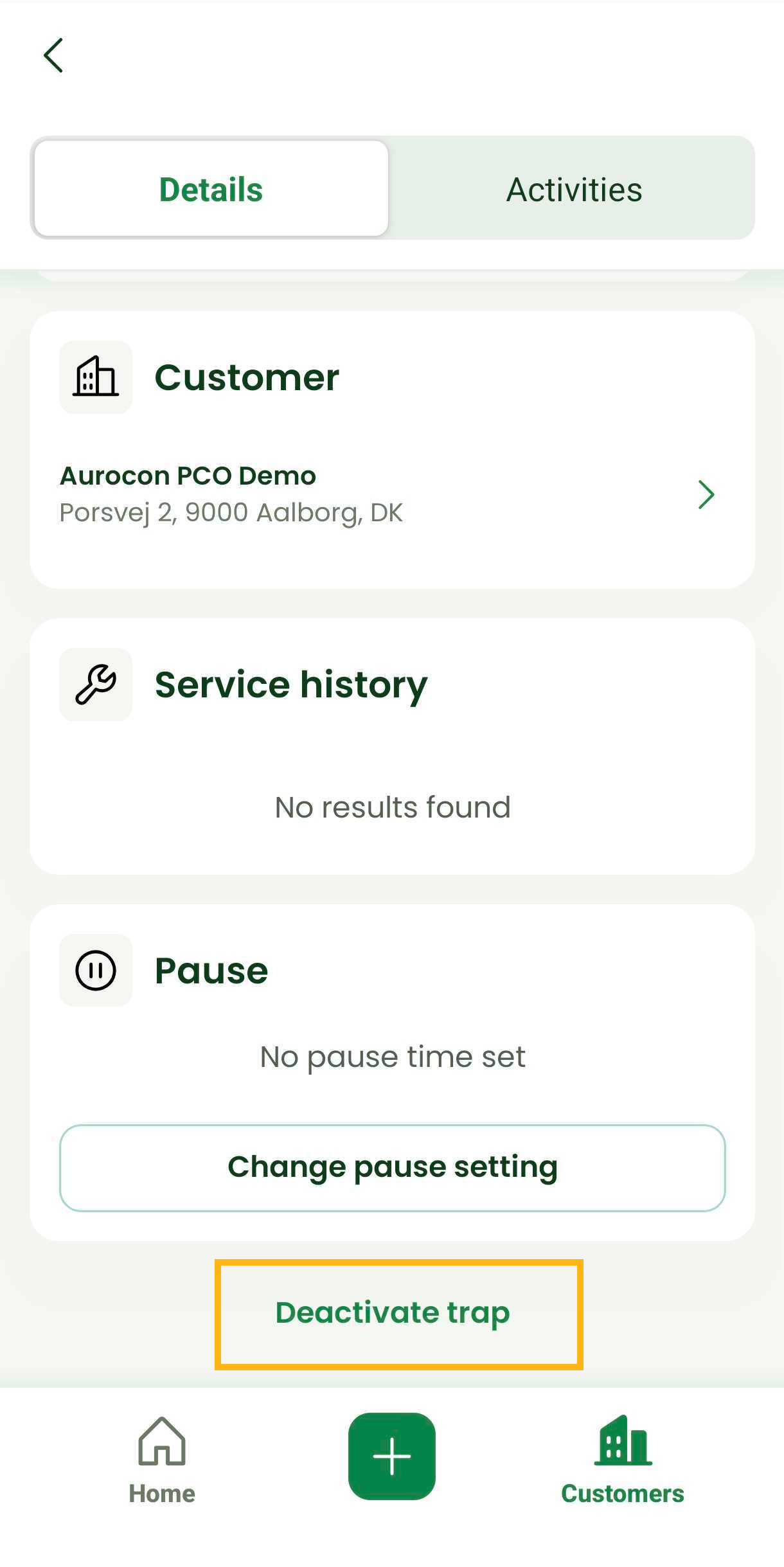
Tap Deactivate Trap.
Confirm the action to deactivate the unit.
Was this article helpful?
That’s Great!
Thank you for your feedback
Sorry! We couldn't be helpful
Thank you for your feedback
Feedback sent
We appreciate your effort and will try to fix the article